---
title: "Setting Up Privacy-Focused Analytics with Tinybird in Astro"
description: "Learn how to implement real-time, privacy-focused web analytics in your Astro application using Tinybird. Deploy a complete analytics platform in minutes without cookies or third-party tracking."
source: "https://www.launchfa.st/blog/setup-tinybird-analytics-astro"
author: "Rishi Raj Jain"
created_at: 2025-12-05T12:00:00.000Z
keywords: "astro, tinybird, analytics, privacy, web analytics, real-time analytics, clickhouse"
---
> **Site index for agents**
> Fetch https://www.launchfa.st/llms.txt to discover every page on this site.
> Every page is also available as Markdown by appending `.md` to its URL.
 Traditional web analytics solutions like Google Analytics come with significant drawbacks: privacy concerns, GDPR compliance issues, slow page loads from third-party scripts, and data ownership challenges. **[Tinybird](https://www.tinybird.co/)** offers a privacy-focused alternative that gives you real-time analytics without cookies, runs on your infrastructure, and provides instant insights powered by ClickHouse.
In this guide, you'll learn how to set up Tinybird with its Web Analytics template and add the tracking script in your Astro application to start collecting real-time metrics.
## Prerequisites
You'll need the following:
- [Node.js 20](https://nodejs.org/en/blog/announcements/v20-release-announce) or later
- A [Tinybird](https://www.tinybird.co/) account
## Set up a Tinybird workspace
First, authenticate with Tinybird and create or select a workspace. Execute the following commands:
```bash
# (macOS/Linux) Install Tinybird CLI if you haven't already
curl https://tinybird.co | sh
# (Windows) Install Tinybird CLI if you haven't already
# powershell -ExecutionPolicy ByPass -c "irm https://tinybird.co | iex"
# Login to Tinybird (opens browser for authentication)
tb login
# This will prompt you to select or create a workspace
# Choose a region close to your users for best performance
```
After authentication, you'll see your available workspaces or be prompted to create a new one. Select the workspace you want to use for analytics.
## Deploy the Web Analytics template
Tinybird provides a pre-built template that includes all the data sources, pipes, and endpoints you need. Deploy it with a single command:
```bash
# Deploy the Web Analytics template to your workspace
tb --cloud deploy \
--template https://github.com/tinybirdco/web-analytics-starter-kit/tree/main/tinybird \
--allow-destructive-operations
```
This command does several things:
1. **Creates data sources**: Sets up the events table to store analytics data
2. **Deploys transformation pipes**: Processes raw events into aggregated metrics
3. **Creates API endpoints**: Exposes SQL queries as REST APIs
4. **Generates tokens**: Creates authentication tokens for ingestion and querying
The deployment completes in a few seconds.
## Add tracking script to your Astro layout
Now let's add the Tinybird tracking script to your Astro application. The script is lightweight (<9KB gzipped), loads asynchronously, and doesn't block page rendering.
Open the Tinybird console and copy the tracking script using the **Copy script** green button.
Traditional web analytics solutions like Google Analytics come with significant drawbacks: privacy concerns, GDPR compliance issues, slow page loads from third-party scripts, and data ownership challenges. **[Tinybird](https://www.tinybird.co/)** offers a privacy-focused alternative that gives you real-time analytics without cookies, runs on your infrastructure, and provides instant insights powered by ClickHouse.
In this guide, you'll learn how to set up Tinybird with its Web Analytics template and add the tracking script in your Astro application to start collecting real-time metrics.
## Prerequisites
You'll need the following:
- [Node.js 20](https://nodejs.org/en/blog/announcements/v20-release-announce) or later
- A [Tinybird](https://www.tinybird.co/) account
## Set up a Tinybird workspace
First, authenticate with Tinybird and create or select a workspace. Execute the following commands:
```bash
# (macOS/Linux) Install Tinybird CLI if you haven't already
curl https://tinybird.co | sh
# (Windows) Install Tinybird CLI if you haven't already
# powershell -ExecutionPolicy ByPass -c "irm https://tinybird.co | iex"
# Login to Tinybird (opens browser for authentication)
tb login
# This will prompt you to select or create a workspace
# Choose a region close to your users for best performance
```
After authentication, you'll see your available workspaces or be prompted to create a new one. Select the workspace you want to use for analytics.
## Deploy the Web Analytics template
Tinybird provides a pre-built template that includes all the data sources, pipes, and endpoints you need. Deploy it with a single command:
```bash
# Deploy the Web Analytics template to your workspace
tb --cloud deploy \
--template https://github.com/tinybirdco/web-analytics-starter-kit/tree/main/tinybird \
--allow-destructive-operations
```
This command does several things:
1. **Creates data sources**: Sets up the events table to store analytics data
2. **Deploys transformation pipes**: Processes raw events into aggregated metrics
3. **Creates API endpoints**: Exposes SQL queries as REST APIs
4. **Generates tokens**: Creates authentication tokens for ingestion and querying
The deployment completes in a few seconds.
## Add tracking script to your Astro layout
Now let's add the Tinybird tracking script to your Astro application. The script is lightweight (<9KB gzipped), loads asynchronously, and doesn't block page rendering.
Open the Tinybird console and copy the tracking script using the **Copy script** green button.
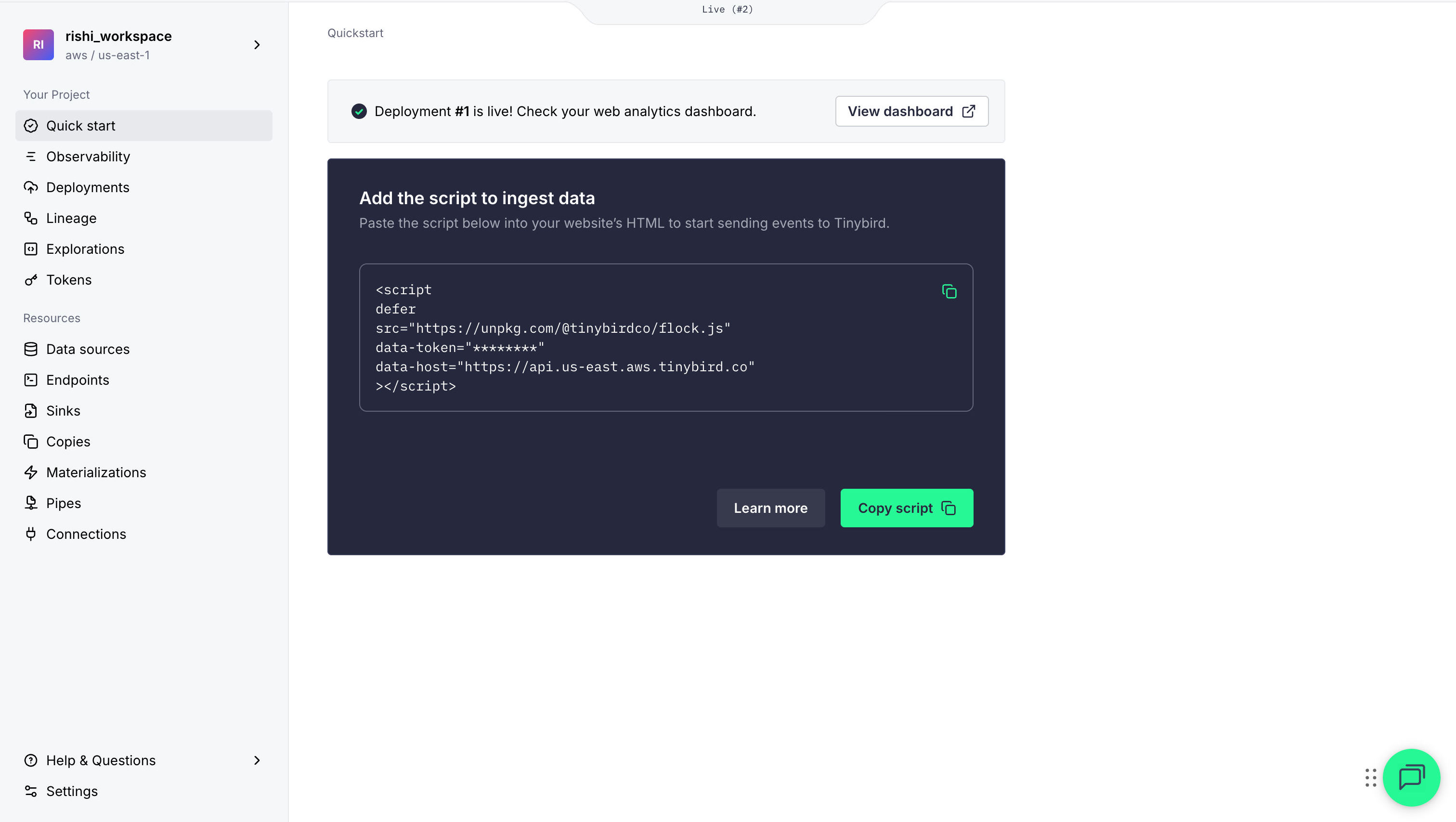 Then, open your main layout file (typically `src/layouts/Layout.astro`) and add the tracking script in the `` section:
```astro {13-19}
---
// File: src/layouts/Layout.astro
// ...
---
```
The `defer` attribute ensures the script loads asynchronously without blocking page rendering.
## View your analytics in the hosted dashboard
Tinybird provides a pre-built analytics dashboard where you can simply enter your dashboard token to view the metrics.
Let's verify that events are being tracked. Start your Astro development server:
```bash
npm run dev
```
Visit your site at `http://localhost:4321` and navigate between pages. Then check your analytics:
1. Open the analytics dashboard (via the **View Dashboard** button in the console)
2. You should see real-time metrics appearing:
- Page views incrementing
- Your location appearing in the map
- Browser and device information
Then, open your main layout file (typically `src/layouts/Layout.astro`) and add the tracking script in the `` section:
```astro {13-19}
---
// File: src/layouts/Layout.astro
// ...
---
```
The `defer` attribute ensures the script loads asynchronously without blocking page rendering.
## View your analytics in the hosted dashboard
Tinybird provides a pre-built analytics dashboard where you can simply enter your dashboard token to view the metrics.
Let's verify that events are being tracked. Start your Astro development server:
```bash
npm run dev
```
Visit your site at `http://localhost:4321` and navigate between pages. Then check your analytics:
1. Open the analytics dashboard (via the **View Dashboard** button in the console)
2. You should see real-time metrics appearing:
- Page views incrementing
- Your location appearing in the map
- Browser and device information
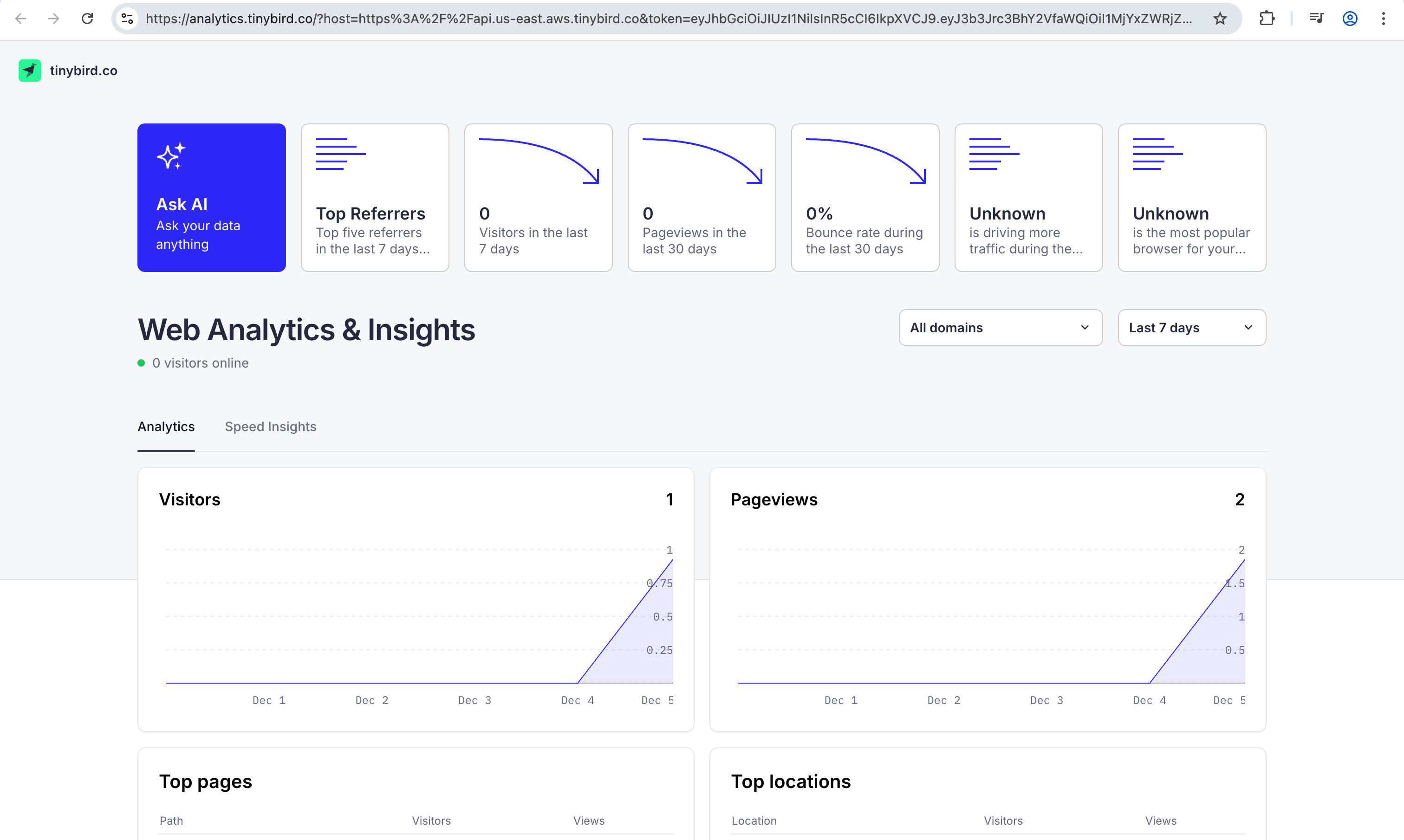 Events are sent immediately and appear in your dashboard within seconds. If you see even a single pageview, you are all set!
## Conclusion
You've now enabled privacy-first, real-time analytics in your Astro app with Tinybird. It allows you to have page view tracking with no cookies, flexible custom events, and a lightweight script. For advanced use cases or reporting, explore the [Tinybird docs](https://www.tinybird.co/docs).
If you have any questions or comments, feel free to reach out to me on [Twitter](https://twitter.com/direct_messages/create/rishi_raj_jain_).
Events are sent immediately and appear in your dashboard within seconds. If you see even a single pageview, you are all set!
## Conclusion
You've now enabled privacy-first, real-time analytics in your Astro app with Tinybird. It allows you to have page view tracking with no cookies, flexible custom events, and a lightweight script. For advanced use cases or reporting, explore the [Tinybird docs](https://www.tinybird.co/docs).
If you have any questions or comments, feel free to reach out to me on [Twitter](https://twitter.com/direct_messages/create/rishi_raj_jain_).