---
title: "Privacy-fokussierte Analytics mit Tinybird in Astro einrichten"
description: "Echtzeit-Analytics ohne Cookies in Ihrer Astro-App mit Tinybird. Komplette Analytics-Plattform in Minuten deployen, ohne Third-Party-Tracking."
source: "https://www.launchfa.st/de/blog/setup-tinybird-analytics-astro"
author: "Rishi Raj Jain"
created_at: 2025-12-05T12:00:00.000Z
keywords: "astro, tinybird, analytics, privacy, web analytics, real-time analytics, clickhouse"
---
> **Site index for agents**
> Fetch https://www.launchfa.st/llms.txt to discover every page on this site.
> Every page is also available as Markdown by appending `.md` to its URL.
 Klassische Analytics wie Google Analytics bringen Nachteile: Datenschutz, GDPR, langsame Seiten durch Third-Party-Skripte, Datenhoheit. **[Tinybird](https://www.tinybird.co/)** ist privacy-fokussiert: Echtzeit-Analytics ohne Cookies, auf Ihrer Infrastruktur, powered by ClickHouse.
In dieser Anleitung richten Sie Tinybird mit dem Web-Analytics-Template ein und binden das Tracking-Skript in Astro ein.
## Voraussetzungen
- [Node.js 20](https://nodejs.org/en/blog/announcements/v20-release-announce) oder höher
- Ein [Tinybird](https://www.tinybird.co/)-Konto
## Tinybird-Workspace einrichten
Authentifizieren und Workspace wählen oder anlegen:
```bash
# (macOS/Linux) Tinybird CLI installieren
curl https://tinybird.co | sh
# (Windows) Tinybird CLI installieren
# powershell -ExecutionPolicy ByPass -c "irm https://tinybird.co | iex"
# Bei Tinybird anmelden (Browser)
tb login
# Workspace wählen oder erstellen
# Region nahe an Ihren Nutzern wählen
```
Nach der Anmeldung sehen Sie Workspaces oder werden zum Anlegen aufgefordert.
## Web-Analytics-Template deployen
Tinybird liefert ein Template mit Data Sources, Pipes und Endpoints:
```bash
# Web Analytics Template deployen
tb --cloud deploy \
--template https://github.com/tinybirdco/web-analytics-starter-kit/tree/main/tinybird \
--allow-destructive-operations
```
Das Kommando:
1. **Data Sources**: Events-Tabelle für Analytics
2. **Transformation Pipes**: Roh-Events zu aggregierten Metriken
3. **API-Endpoints**: SQL als REST
4. **Tokens**: Auth für Ingestion und Queries
Deployment dauert wenige Sekunden.
## Tracking-Skript ins Astro-Layout
Das Skript ist leicht (<9 KB gzipped), async und blockiert nicht.
Tracking-Skript in der Tinybird-Konsole per **Copy script** kopieren.
Klassische Analytics wie Google Analytics bringen Nachteile: Datenschutz, GDPR, langsame Seiten durch Third-Party-Skripte, Datenhoheit. **[Tinybird](https://www.tinybird.co/)** ist privacy-fokussiert: Echtzeit-Analytics ohne Cookies, auf Ihrer Infrastruktur, powered by ClickHouse.
In dieser Anleitung richten Sie Tinybird mit dem Web-Analytics-Template ein und binden das Tracking-Skript in Astro ein.
## Voraussetzungen
- [Node.js 20](https://nodejs.org/en/blog/announcements/v20-release-announce) oder höher
- Ein [Tinybird](https://www.tinybird.co/)-Konto
## Tinybird-Workspace einrichten
Authentifizieren und Workspace wählen oder anlegen:
```bash
# (macOS/Linux) Tinybird CLI installieren
curl https://tinybird.co | sh
# (Windows) Tinybird CLI installieren
# powershell -ExecutionPolicy ByPass -c "irm https://tinybird.co | iex"
# Bei Tinybird anmelden (Browser)
tb login
# Workspace wählen oder erstellen
# Region nahe an Ihren Nutzern wählen
```
Nach der Anmeldung sehen Sie Workspaces oder werden zum Anlegen aufgefordert.
## Web-Analytics-Template deployen
Tinybird liefert ein Template mit Data Sources, Pipes und Endpoints:
```bash
# Web Analytics Template deployen
tb --cloud deploy \
--template https://github.com/tinybirdco/web-analytics-starter-kit/tree/main/tinybird \
--allow-destructive-operations
```
Das Kommando:
1. **Data Sources**: Events-Tabelle für Analytics
2. **Transformation Pipes**: Roh-Events zu aggregierten Metriken
3. **API-Endpoints**: SQL als REST
4. **Tokens**: Auth für Ingestion und Queries
Deployment dauert wenige Sekunden.
## Tracking-Skript ins Astro-Layout
Das Skript ist leicht (<9 KB gzipped), async und blockiert nicht.
Tracking-Skript in der Tinybird-Konsole per **Copy script** kopieren.
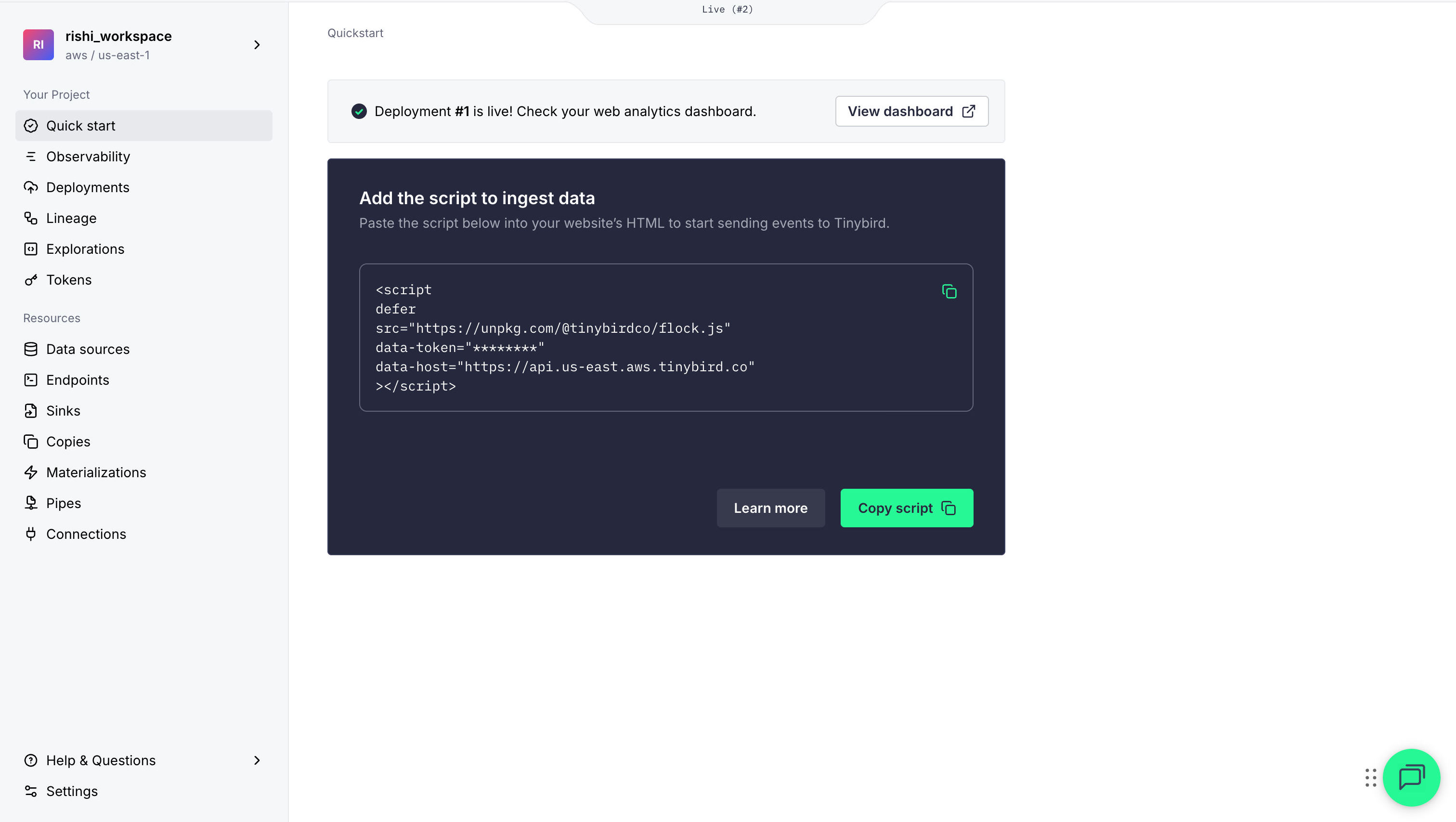 In `src/layouts/Layout.astro` im ``:
```astro {13-19}
---
// File: src/layouts/Layout.astro
// ...
---
```
`defer` lädt async ohne Render-Blockade.
## Analytics im gehosteten Dashboard
Tinybird liefert ein Dashboard, Dashboard-Token eingeben und Metriken sehen.
Dev-Server starten:
```bash
npm run dev
```
Site unter `http://localhost:4321` besuchen, Seiten wechseln, dann Analytics prüfen:
1. Dashboard öffnen (**View Dashboard** in der Konsole)
2. Echtzeit-Metriken:
- steigende Page Views
- Standort auf der Karte
- Browser und Gerät
In `src/layouts/Layout.astro` im ``:
```astro {13-19}
---
// File: src/layouts/Layout.astro
// ...
---
```
`defer` lädt async ohne Render-Blockade.
## Analytics im gehosteten Dashboard
Tinybird liefert ein Dashboard, Dashboard-Token eingeben und Metriken sehen.
Dev-Server starten:
```bash
npm run dev
```
Site unter `http://localhost:4321` besuchen, Seiten wechseln, dann Analytics prüfen:
1. Dashboard öffnen (**View Dashboard** in der Konsole)
2. Echtzeit-Metriken:
- steigende Page Views
- Standort auf der Karte
- Browser und Gerät
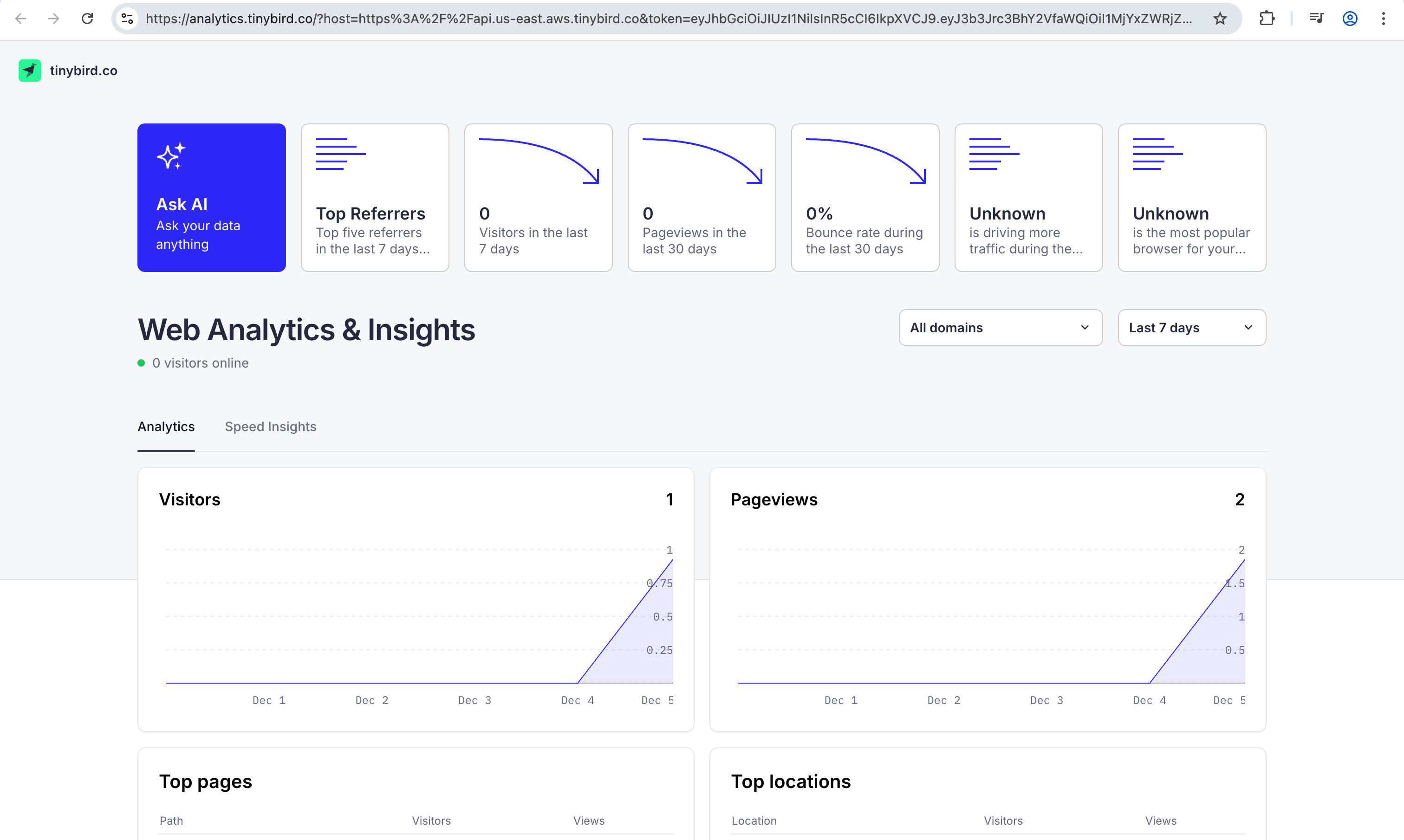 Events erscheinen innerhalb von Sekunden. Ein Pageview reicht, Sie sind startklar.
## Fazit
Privacy-first Echtzeit-Analytics in Astro mit Tinybird: Page Views ohne Cookies, flexible Custom Events, leichtes Skript. Für Advanced Cases: [Tinybird Docs](https://www.tinybird.co/docs).
Fragen? [Twitter](https://twitter.com/direct_messages/create/rishi_raj_jain_).
Events erscheinen innerhalb von Sekunden. Ein Pageview reicht, Sie sind startklar.
## Fazit
Privacy-first Echtzeit-Analytics in Astro mit Tinybird: Page Views ohne Cookies, flexible Custom Events, leichtes Skript. Für Advanced Cases: [Tinybird Docs](https://www.tinybird.co/docs).
Fragen? [Twitter](https://twitter.com/direct_messages/create/rishi_raj_jain_).